Your plants, cared for without a second thought.
Snap a photo, Green Hub identifies them, builds their care sheet and a maintenance calendar just for you. You’ll never forget a watering or a repotting again.
Free · No account needed · Your garden stays private
On iPhone: tap Share, then "Add to Home Screen".
Everything you need for happy plants
A real garden journal, not just another app.
Photo identification
One photo is enough. Green Hub recognises the species via PlantNet and AI, then fills in the sheet for you.
Clear care sheets
Water, light, exposure, repotting, pruning: every plant gets its sheet, readable at a glance.
Journal & dated photos
Log an event, add a timestamped photo, and watch your plant grow month after month.
Personalised calendar
A yearly care calendar for each plant: what to do, when to do it, tailored to what you actually grow.
What it actually looks like
Real screens from the app, not mockups.
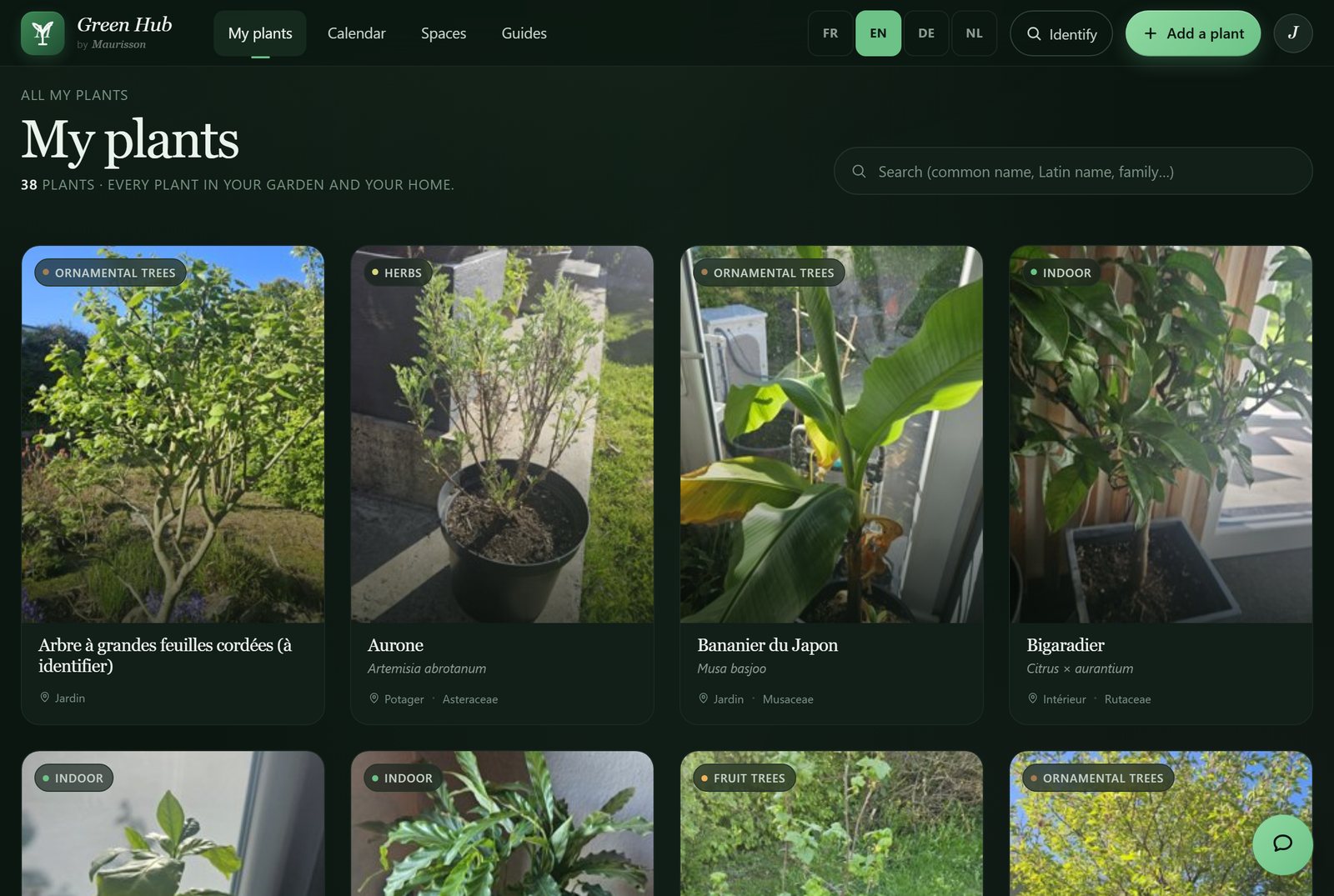
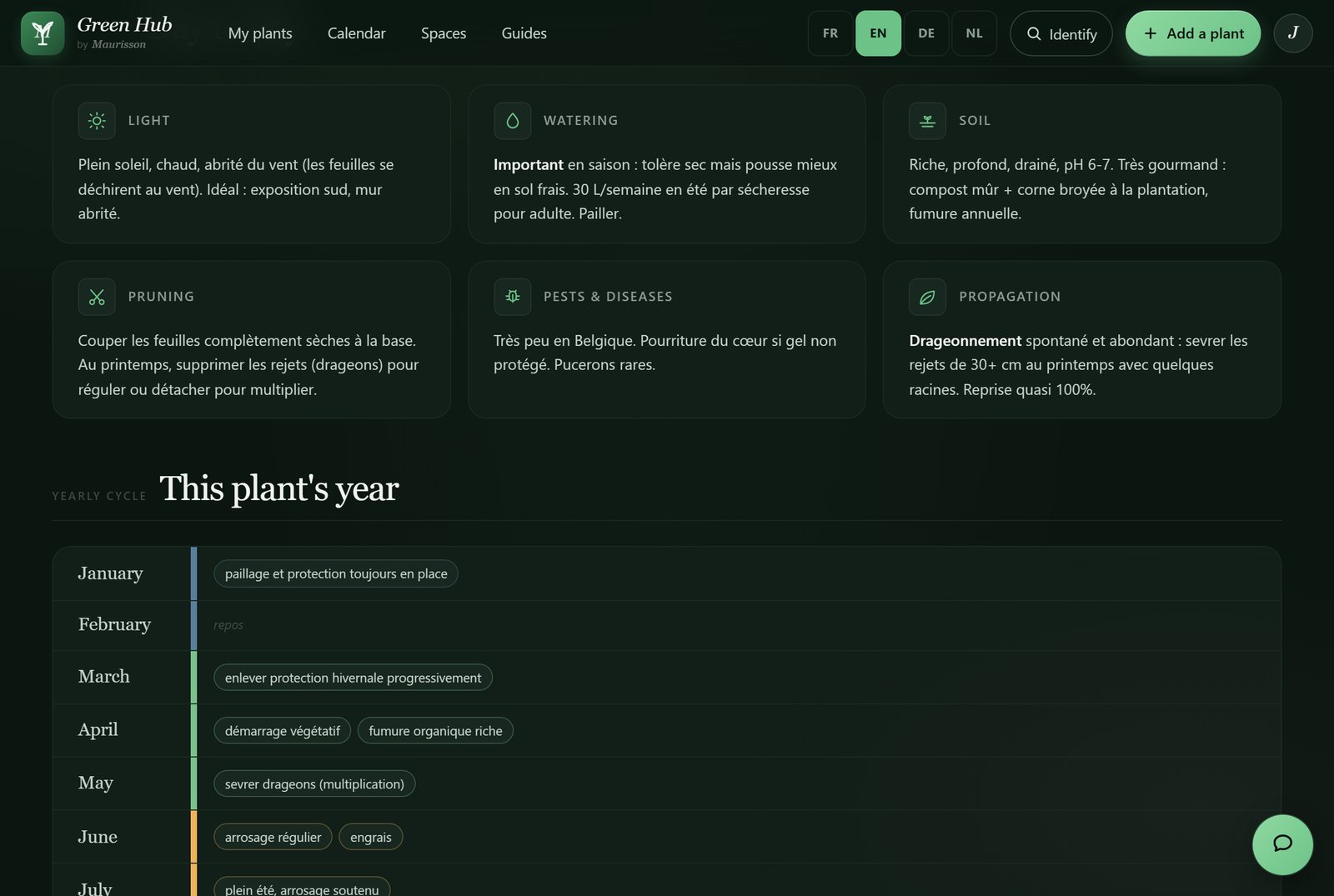
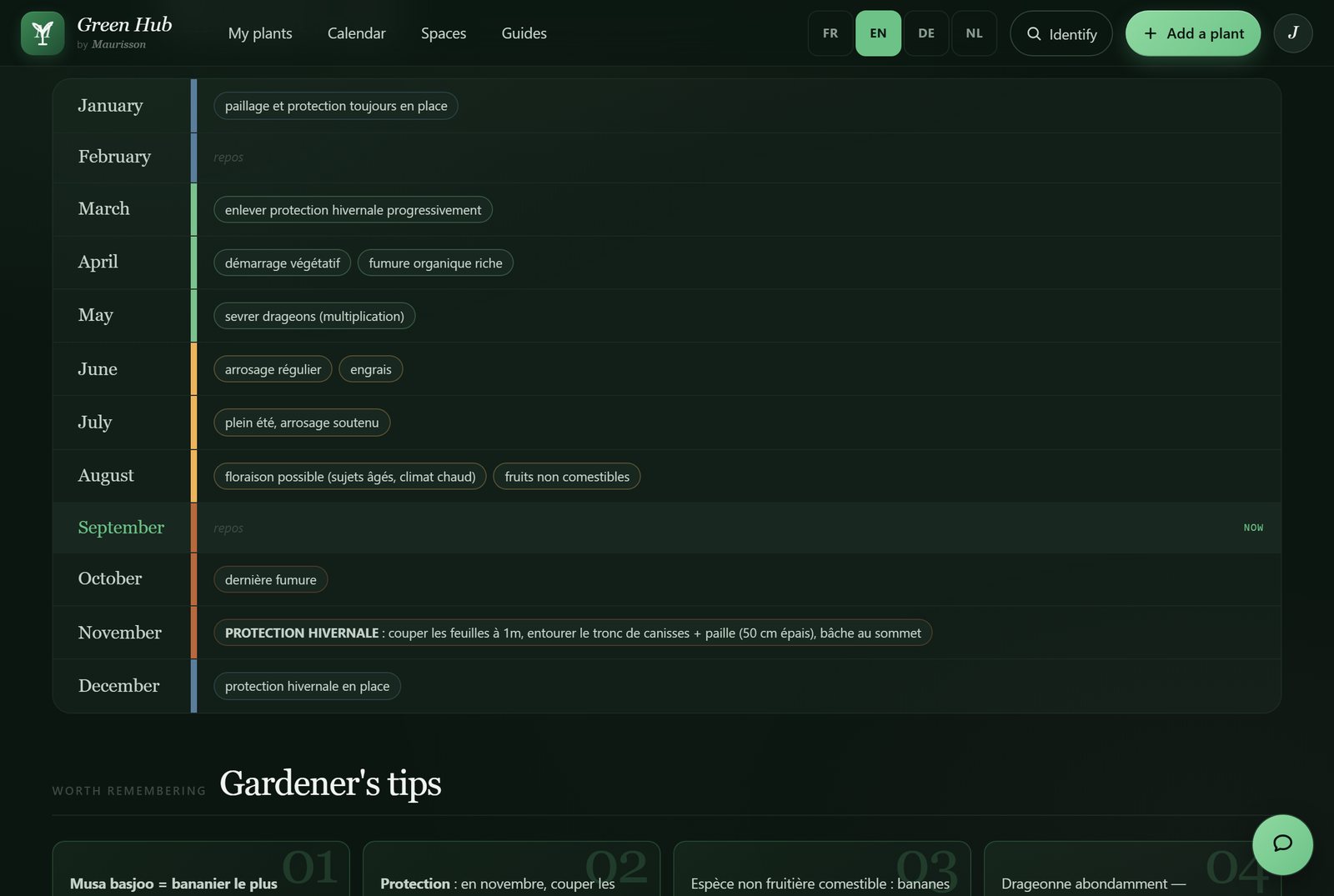
How it works
Three moves, and your garden almost takes care of itself.
Take a photo
Photograph your plant and Green Hub identifies it automatically.
Your sheet is generated
The care sheet and maintenance calendar are created in an instant.
Follow the rhythm
The app tells you what to do and when: all that’s left is to garden.
Frequently asked questions
What is Green Hub?
Green Hub is your digital garden journal. You catalogue your plants, each with its own care sheet, photo journal and personalised maintenance calendar. The goal: keep your plants thriving without having to remember everything yourself.
How does identification work?
You photograph your plant and Green Hub recognises the species using PlantNet and AI. The care sheet and calendar then fill in automatically, and you can adjust them by hand.
Who can see my plants?
Only you. Without an account, your trial never leaves this device. Once you sign in, your garden is isolated per account: no one else can see your plants or your photos.
Is it free?
Yes, Green Hub is free, and you can start without an account: no credit card and no subscription.
Do I need an account?
Not to try it. Photograph a plant and you get its care sheet straight away: your trial stays on this device. A Google account only serves to keep your garden and find it again on another device.
Do I need to install anything?
No. Green Hub runs straight in your browser. You can also add it to your home screen (PWA) to use it like a real app, without going through any store.
Ready to pamper your plants?
Try it with no account: identification, care sheet and calendar, right away.
Identify your plant